
Clip a page in two clicks.
Click the ClipDesk button in Chrome and the page is clipped. Click Save clip and it is in your library with its title, link, and date. Then search it, cite it, and write from it.
Free to start. Your library stays on your computer.
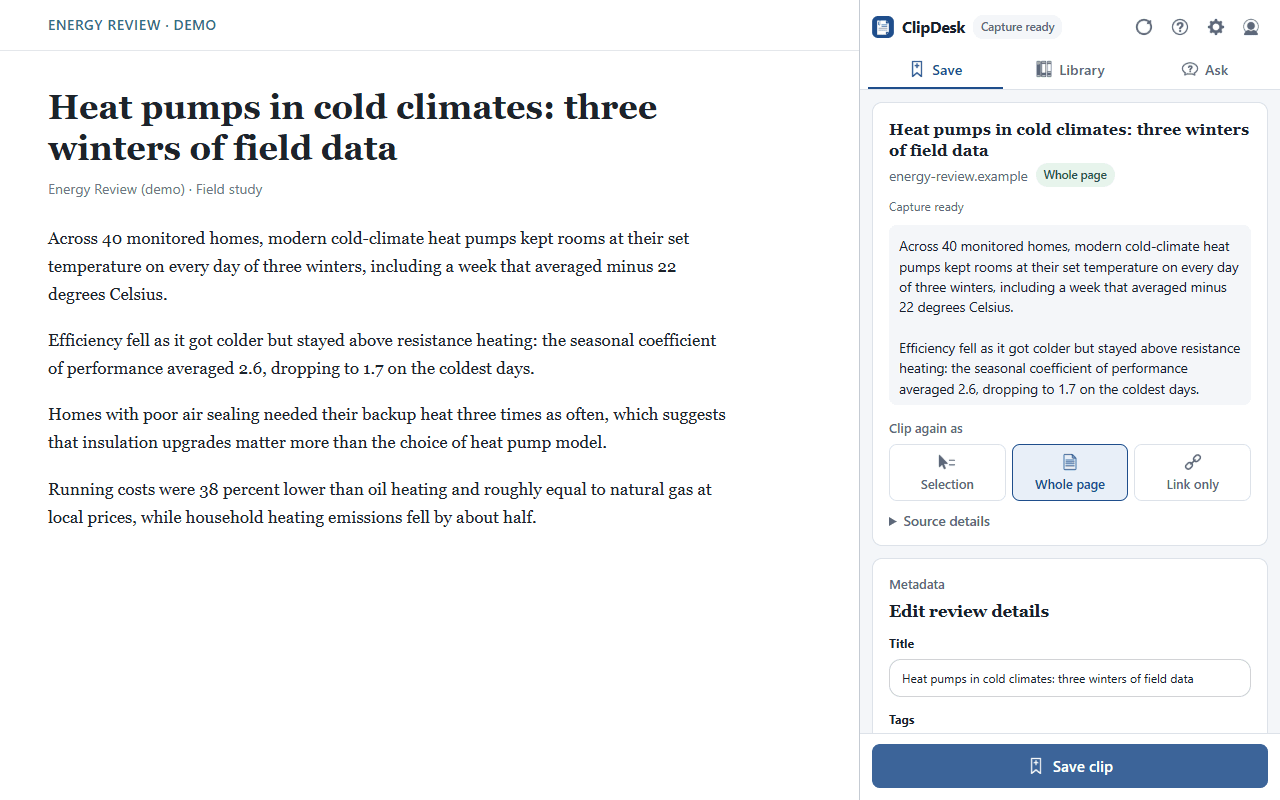
One side panel, three tabs
ClipDesk opens next to the page you are reading, so you never leave the tab.
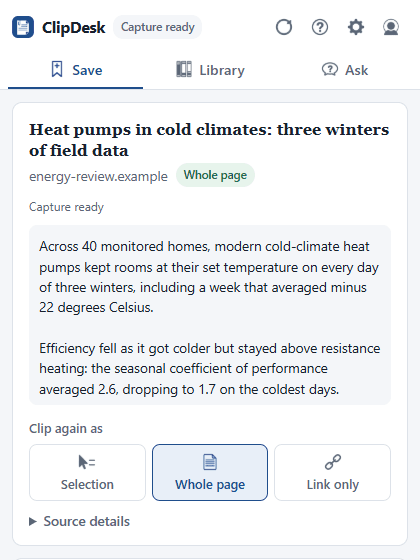
Save
Click the ClipDesk button and the page is clipped. Check the title, add a tag, then Save clip.
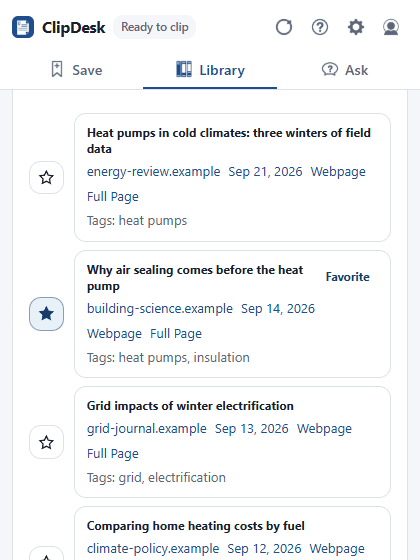
Library
Search, filter, and group what you saved. Each clip keeps its link, date, notes, and highlights.
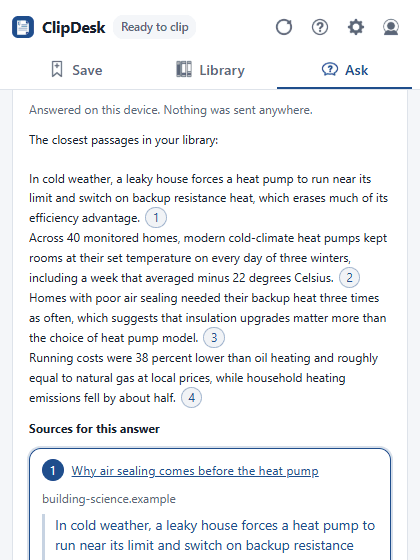
Ask
Ask a question and get an answer built only from your clips, with a citation on every claim.
What you can do with it
Everything here is in the extension today.
Clip anything
- A selection, the whole page, or just the link
- Text PDFs, plus scanned PDFs with on-device OCR on paid plans
- Highlights that link back to the exact sentence
- Part of the screen, or audio from a tab, video, or microphone
Find it again
- Search, filters, favorites, and collections
- Search by meaning, run on your computer
- A daily review queue for favorites, notes, and highlights
Check your sources
- Retraction and preprint checks
- Prior, citing, and related work
- Wayback Machine snapshots so a page stays citable
- Tables as CSV, captioned figures, and formatted citations
Ask your library
- Answers drawn only from your clips, each claim cited
- A summary, key points, and tags for every clip
- Extraction tables across many sources
- Built-in Local AI, or your own Gemini, Anthropic, or OpenAI key
Write from it
- A synthesis matrix that turns into an outline
- Boards for arranging ideas
- Markdown, Obsidian, Notion, and research JSON exports
- Send clips to Readwise, Notion, or Google Docs
Stays on your computer
- Clips, notes, and highlights are stored in your browser
- Nothing is uploaded unless a feature you turn on sends it, and it says what it sends
- AI and analytics stay off until you choose
- Back up and restore your whole library any time
Try it on the next page you read.
Free in the Chrome Web Store.